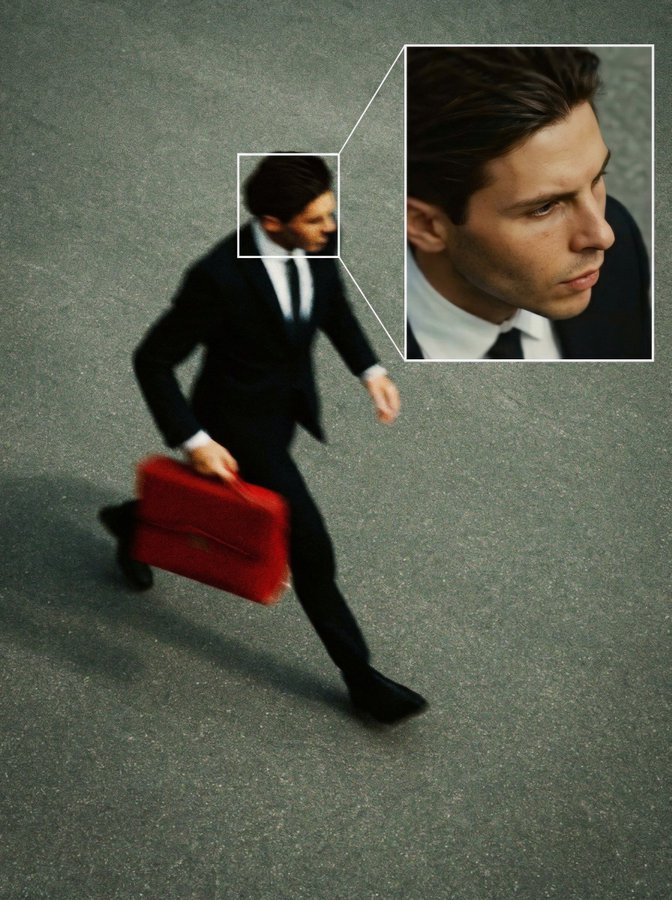
Симуляция кадра с камеры видеонаблюдения
Используйте этот промпт, чтобы стилизовать фото под кадр с камеры видеонаблюдения: верхний ракурс, лёгкое зерно и приглушённые цвета, белые рамки вокруг лиц и увеличенная врезка с крупным планом главного человека. Эффектный приём для триллер-контента, постеров, обложек и креативных публикаций.
Create a high angle CCTV surveillance shot using the uploaded image as the source. Detect every visible person in the image and automatically draw a white rectangular bounding box around each face. For the most prominent person, add a large zoom in inset: a sharp, enhanced close-up of their face displayed in a floating rectangular frame connected with a thin white line.Keep the main image slightly noisy and security camera like (soft grain, slight distortion, muted colors), while the zoom in face box should be clearer, brighter, and more detailed. No text, no timestamps, no overlays except the boxes and connecting line. Maintain the original scene layout, angle, and environment of the uploaded image.